
UGC Workflows for Fortnite Accounts
Template appeals map gaming, social, and marketplace limits to dispute steps UGC can resubmit without pasting the same text by hand.

Scope
Repeatable dispute packets
Gaming, social, and marketplace restrictions each get a workflow template. Automation resubmits steps so operators are not retyping the same appeal text.
4 extra capability lines sit lower on this page.
Overview
Appeals across gaming, social, and storefront accounts
Mapping a restriction to a reusable template, automated dispute reruns, and limits where staff—not UGC—holds the final vote.
Unban & Governance Control (UGC) combines templates you define with dispute handling that runs automatically. Scope includes restricted gaming accounts, social accounts, and marketplace accounts.
Platform reviewers decide each case. Hardware-tied bans stay outside this product. The 31-day term is $35; lifetime is $150 with the same capability set on both plans.
What Unban & Governance Control assembles
UGC—Unban & Governance Control—covers limited gaming profiles, social handles, and marketplace storefronts. You author one workflow template; the software resubmits dispute packets without hand-copying text. Gather ownership proof and a timeline before automated filings start.
Reviewers still decide outcomes
Each platform reviewer holds final say. Some penalties never expire; permanent suspensions stay permanent. UGC organizes evidence and wording but does not alter hardware IDs or bypass security controls. Machine-level bans stay outside this product. Weak evidence hurts every case.
Windows prep for the appeal client
Run Windows 10 or 11. Before the first launch, enable HVCI and Core Isolation plus TPM and Secure Boot.
License scope
Capabilities after activation
Everything in the table below unlocks once the UGC term is active.
- Appeal workflows you configure once
- Dispute steps the automation can replay
- Coverage beyond a single platform
- Gaming profile appeals
- Social handle appeals
- Marketplace storefront appeals
- Monthly and lifetime billing options
- Windows 10 and Windows 11 support
Active license
Visuals left, delivery right
Stills explain the workflow UI. The opposite column walks portal delivery and first-time Windows prep.
Workflow stills
- Layer A
UGC emblem
Stands in for the template library and automated dispute runners used on limited profiles.
More products
Pairs well with
Other store licenses beside UGC; open any card for dedicated copy and pricing.
- Fortnite Cheats From $35 Aimbot, aim assist, silent aim, trigger bot, player and loot ESP, wallhack, radar, and no recoil. Monthly is $35 for 30 days. Lifetime is $150. View details: Fortnite Cheats
- HWID Spoofer From $50 One license rotates disk serials, network MACs, GPU identifiers, and linked fingerprints on this PC, then runs the bundled trace cleanup before the next sign-in attempt. View details: HWID Spoofer
- Skin Changer From $35 The lightweight client renders premium weapon skins, outfits, and knife styles locally on supported major titles—nothing is written into your account inventory. View details: Skin Changer
FAQ
Questions about this page
Answers for this page. The FAQ page holds the rest.
Blog
Related guides
Filter by topic to find setup guides, feature deep-dives, and patch-day notes.
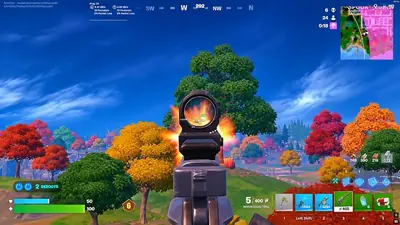
Received a Fortnite account ban? Learn how Epic's official appeal process works, where to find your sanction ID, what information to prepare and what happens after submitting an appeal.
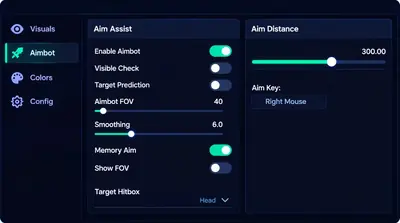
Before evaluating Fortnite PC software, understand Windows compatibility, processor requirements, graphics hardware, RAM, storage and the importance of checking current technical specifications.
Fortnite failing to launch because Easy Anti-Cheat is not installed? Learn how to locate the EAC installation folder, run its repair process and troubleshoot the error.
Fortnite community forum
Read discussion
Archive: read-only threads on loader setup, ESP configs, patch status, and HWID bans. Replies stay closed.